![HubSpotKBLogo-01.png]](https://insigniagroup.com/hs-fs/hubfs/HubSpotKBLogo-01.png?height=40&name=HubSpotKBLogo-01.png)
- Log in with username and password.
- Select Settings.
- Select Catalog.
- Locate Pricing on the right side.
- Beneath Type, Select MSRP
Note: While the Cost Plus model is available and will function for AccessorySync customers, the MSRP model is the best practice and used by our most successful partners.
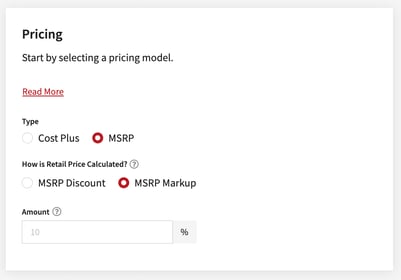
- For the prompt How is Retail Price Calculated? Leave the Amount at 0 to reflect strictly MSRP.
- You can also decide to sell slightly over or slightly under MSRP by entering a percent markup or mark down in the lower field.
Cost Plus
Note: This method may create a retail price over or under MSRP
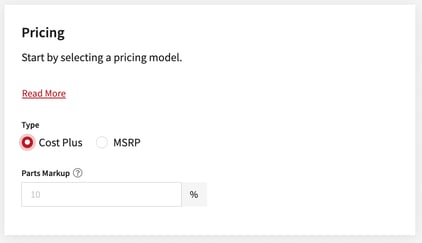
- Add Parts Markup percentage.
- Don’t forget to save your changes.