![HubSpotKBLogo-01.png]](https://insigniagroup.com/hs-fs/hubfs/HubSpotKBLogo-01.png?height=40&name=HubSpotKBLogo-01.png)
The top accessories report displays the accessories by sales, views, profit, or sold items.
- Expand Reports.
- Expand Accessories.
- Select Top.

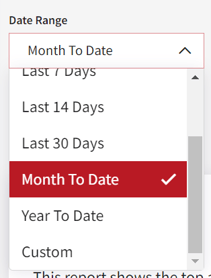
- Select Date Range.
Note: The default is set to Month to Date.
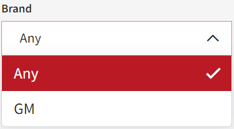
- Select Brand.
Note: The default brand is set to Any.
- Narrow the search further by selecting Criteria.
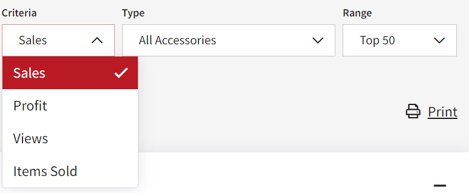
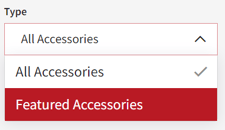
- Select Type.
- Select the Range.
Note: sales numbers are based on fulfilled orders.
- Select Apply to update the search.

- The highlights box is displayed based on the criteria selected.
Tip: Change the criteria to see different information.
Note: the OE and Aftermarket calculations are only displayed when "All" is selected for the Brand filter.

The Accessories Card is a table that displays the Accessory number, Name, Brand, and Average Price. Depending on the criteria, it shows the Sales, Profit, Views, or Items Sold.

- Select the accessory number to edit the item.

- Select vehicle.
Tip: All pricing and labor changes to the part number will impact all vehicles the accessory fits.